Debian 10 add rc.local
On the latest debian version the /etc/rc.local file is deprecated, but we can add it back using systemd for those scripts or applications that still depend on it.
Note that this is not the correct way of doing it, and you should probably create a service for your script or application, but if you don’t want to spend the time just yet to migrate everything over you can simple add the rc.local file back into Debian 10.
First we need to create a service file:
1 2 3 4 5 6 7 8 9 10 11 12 13 14 15 16 | cat /etc/systemd/system/rc-local.service [Unit] Description=/etc/rc.local ConditionPathExists=/etc/rc.local [Service] Type=forking ExecStart=/etc/rc.local start TimeoutSec=0 StandardOutput=tty RemainAfterExit=yes SysVStartPriority=99 [Install] WantedBy=multi-user.target EOF |
Then we create the rc.local file again
1 2 3 4 5 6 7 8 9 10 11 12 13 14 15 | cat /etc/rc.local #!/bin/sh -e # # rc.local # # This script is executed at the end of each multiuser runlevel. # Make sure that the script will "exit 0" on success or any other # value on error. # # In order to enable or disable this script just change the execution # bits. # # By default this script does nothing. exit 0 |
Set the permissions:
1 | chmod +x /etc/rc.local |
And enable the service to start during boot
1 | systemctl enable rc-local |
And finaly start the service
1 | systemctl start rc-local |
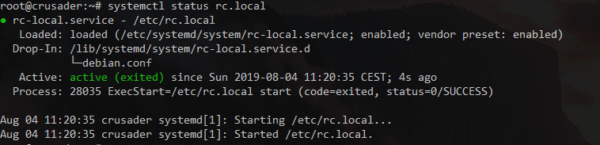
You can view the status of the service with:
And enable the service to start during boot
1 | systemctl status rc-local |
You can now add what you want back into the rc.local file, of course this is not the ‘correct’ way of doing, best would be to add a service for your scripts/programs in systemd where possible.